
Accept payments wherever your business operates
AirPOS helps businesses accept modern cashless payments — fast, convenient, and in a way customers are used to.
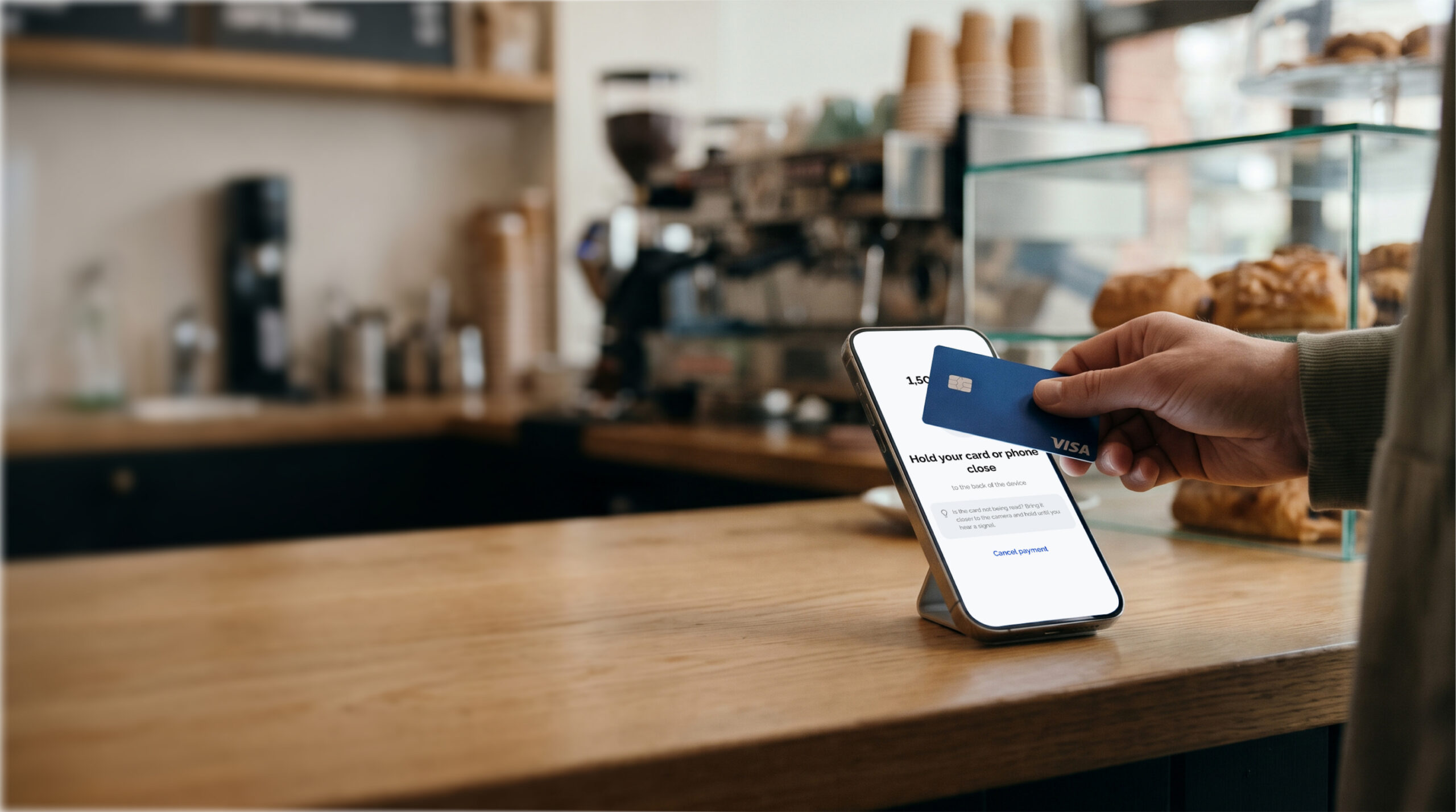
How AirPOS Works
The merchant enters the amount in the app.
The customer taps a contactless card, phone, or other supported NFC device against the merchant’s smartphone.
The app confirms the payment result.
Who It Is For
Accept cashless payments from a smartphone without buying or renting a physical terminal.

Shops and Shopping Centers
Stores, kiosks, pavilions, islands, and other retail outlets.

Cafes, Bars, and Restaurants
Coffee shops, food trucks, outdoor terraces, and pickup points.

Tour Operators, Guides, and Hotels
Tour operators, excursion companies, private guides, travel services, and hotels.

Vehicle Rental Services
Rental of cars, motorcycles, scooters, yachts, boats, and other transport.

Courier and Field Services
Courier companies, delivery, field sales, and agents accepting payments on site.

Service Companies
Salons, service centers, and mobile service providers.

AirPOS Benefits
Simple, secure, and convenient payment acceptance.
- Work with your existing bank account.
- PCI DSS compliant payment data protection.
- Accept payments at your retail outlet and on the go.
- Instant transaction status display.
App Availability
Choose the platform on which you plan to use AirPOS


Online Payment Solutions
Accept cashless payments from a smartphone without buying or renting a physical terminal.

QR Payment
Payment via QR Code
Generate a request for the required amount and present the QR code to the customer. After scanning, the customer is directed to a payment page to complete the operation on their smartphone. Ideal for point of sale, in-person, or sharing a ready QR code.

Virtual POS
Remote Payment
Accept payments remotely via a virtual terminal when the customer cannot present a card in person. An employee processes the transaction in a specialized interface without a physical POS device. Designed for remote orders and assisted transactions.

PayLink
Payment via Link
Create a payment link with amount and order details, then send it via email, messaging, or any preferred channel. The customer opens the link and completes payment on their own. Enables online payments without an e-commerce website.

Gateway
Online payment on website and app
Integrate online payment acceptance directly into your website or mobile application. After placing an order, the customer proceeds to a secure payment page to enter card details. Designed for online stores needing a seamless checkout flow.
Supported Payment Systems





FAQ
Which smartphone is compatible?
AirPOS requires an NFC-enabled smartphone with internet access and a supported version of Android. Check device compatibility before connecting.
What payment methods are supported?
AirPOS allows you to accept contactless payments via Visa, Mastercard, and other supported card systems, as well as smartphones and compatible NFC devices.
How does payment work?
The merchant enters the amount in the app, and the customer taps a card or NFC device against the smartphone. The transaction result is shown instantly.
Where can I view transactions?
The result of the latest transaction and history can be viewed inside the AirPOS app in the Transactions section.
When will the iOS version be available?
An iOS version of AirPOS is planned. The exact release date will be published on our website once development and testing are completed.
How to contact support?
You can contact support via email at info@tranza.io. When reaching out, please describe your issue and, if it relates to a transaction, specify its date and amount without sharing bank card details.